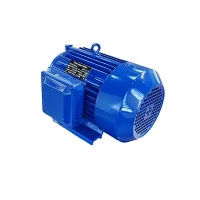
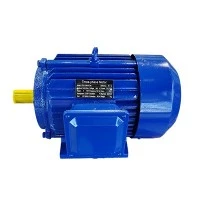
Hey there! As a supplier of AC Capacitor Motors, I often get asked how to replace the capacitor in an AC Capacitor Motor. It's not as complicated as it might seem, but it does require a bit of know - how and some safety precautions. In this blog, I'll walk you through the whole process step by step.
Why Replace the Capacitor?
First off, let's talk about why you might need to replace the capacitor. Capacitors in AC Capacitor Motors play a crucial role. They help the motor start and run smoothly. Over time, due to factors like heat, electrical stress, and normal wear and tear, the capacitor can fail. When this happens, the motor might have trouble starting, run sluggishly, or even overheat. So, replacing a faulty capacitor can save you from having to replace the entire motor, which is a much more expensive fix.
Tools and Materials You'll Need
Before you start, gather the necessary tools and materials. You'll need a pair of insulated gloves to protect yourself from electrical shocks. A screwdriver, either flat - head or Phillips - head depending on your motor, will be needed to open up the motor housing. A capacitor tester can be really helpful to confirm that your capacitor is actually faulty, but it's not essential. And of course, you'll need a replacement capacitor. Make sure to get one with the same capacitance and voltage ratings as the old one. You can usually find these ratings printed on the side of the old capacitor.
Safety First!
Safety is super important when working with electrical components. Always turn off the power supply to the motor before you start working on it. This might mean unplugging the motor from the outlet or turning off the circuit breaker that controls it. Double - check that the power is off with a voltage tester. Even after you've turned off the power, capacitors can still hold a charge. To discharge the capacitor safely, use a resistor or a screwdriver with an insulated handle to short - circuit the capacitor terminals. Do this carefully and keep your hands away from the terminals.
Step - by - Step Replacement Process
1. Remove the Motor Cover
Using your screwdriver, carefully remove the screws that hold the motor cover in place. Set the screws aside in a safe place so you don't lose them. Gently lift off the cover and set it aside. You should now have access to the capacitor and other internal components of the motor.
2. Locate the Capacitor
The capacitor is usually a cylindrical or rectangular component with two or more terminals. It's often attached to the motor housing or mounted on a bracket inside the motor. Take a good look at how the capacitor is connected. Notice which wires are attached to which terminals. You can even take a picture with your phone to serve as a reference when you're installing the new capacitor.
3. Disconnect the Wires
Before disconnecting the wires from the capacitor, make sure they're not under tension. Slowly and carefully remove the wires from the capacitor terminals. You might need to use a pair of pliers to gently pull the wire connectors off. Be careful not to damage the wires during this process.
4. Remove the Old Capacitor
Once the wires are disconnected, you can remove the old capacitor from its mounting. Some capacitors are held in place with brackets or clips. Use your screwdriver or pliers to undo these fasteners and remove the capacitor.
5. Install the New Capacitor
Take your new capacitor and place it in the same location as the old one. Secure it using the brackets or clips you removed earlier. Make sure it's firmly in place.
6. Reconnect the Wires
Refer to your picture or notes to reconnect the wires to the correct terminals on the new capacitor. Push the wire connectors onto the terminals until they're snug. Make sure there's a good electrical connection.
7. Replace the Motor Cover
Once the new capacitor is installed and the wires are reconnected, carefully place the motor cover back on. Line up the holes in the cover with the screw holes in the motor housing and insert the screws. Tighten the screws, but don't over - tighten them as this could damage the cover or the motor housing.
Testing the Motor
After you've replaced the capacitor, it's time to test the motor. Turn the power supply back on. If everything was done correctly, the motor should start and run smoothly. If the motor still has problems, double - check your work. Make sure the capacitor is the right one and that the wires are connected properly. If you're still having trouble, it might be a good idea to consult a professional.


Other Types of AC Motors
As an AC Capacitor Motor supplier, we also offer a range of other AC motors. For example, we have AC Single Phase Induction Motor. These motors are widely used in various applications due to their simplicity and reliability. Another type is the AC Torque Motor. It's designed to provide high torque at low speeds, which makes it suitable for applications like conveyor belts and robotics. And we also have the Universal Motor Single Phase, which can operate on both AC and DC power, giving it a lot of flexibility.
Contact Us for Purchases
If you're in the market for an AC Capacitor Motor or any of the other motors I mentioned, we'd love to hear from you. Whether you need a replacement capacitor or a whole new motor, we've got you covered. Our team of experts can help you choose the right product for your specific needs. So, don't hesitate to reach out and start a conversation about your procurement requirements.
References
- Electrical Engineering textbooks on motor repair and maintenance
- Manufacturer's manuals for AC Capacitor Motors